Sprint Visual Voicemail10.0.1.17
Publisher Description
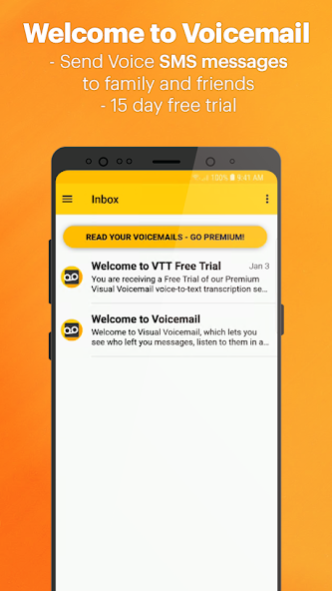
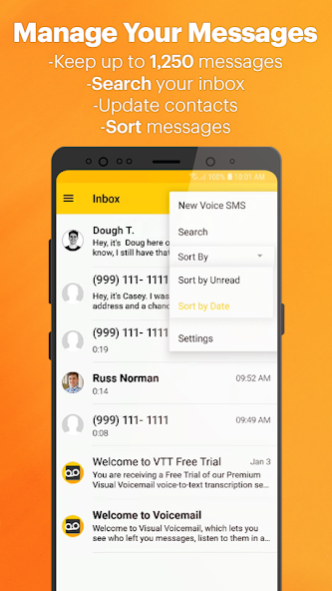
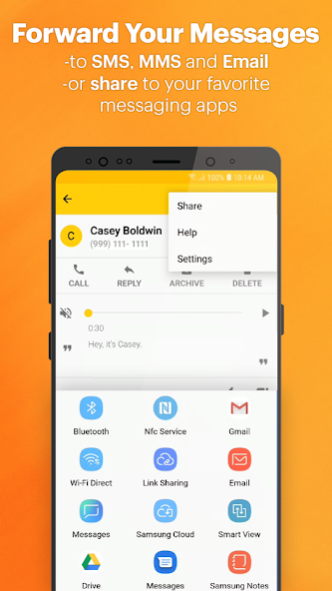
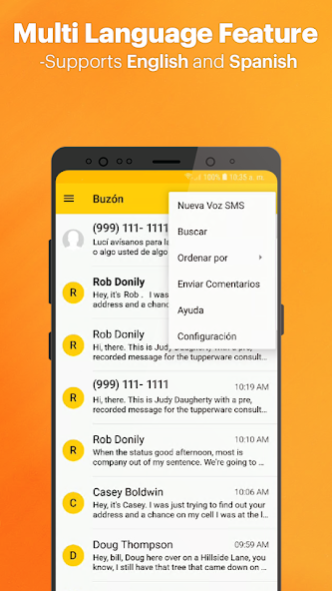
Sprint Visual Voicemail is the enhanced voicemail experience. Messages (ALT: voicemail media files) are delivered directly to your device. VVM is FREE, it allows you to listen and read messages in any order, update your contacts, and easily manage/search your inbox without dialing or enter passwords.
Exclusive VVM features:
MANAGE YOUR INBOX: With VVM you can save and manage up to 1,250 messages and organize your inbox just like your email.
NEVER MISS A MESSAGE AGAIN: Whether you’re in a meeting, running errands or just too busy, the Sprint VVM app will make sure all your messages are in one place. For whenever you’re ready to read them.
AUTO-FORWARD AND LISTEN: Easily manage your voicemails on the go. With auto-forwarding, you can send your voicemail transcriptions straight to SMS, MMS, and EMAIL.
PERSONALIZE GREETING: The VVM app allows you to create your own, customized greeting.
NO ADS!**
PLEASE NOTE:
• Standard messaging and data rates may apply.
• VVM App is free. Additional charges may apply for premium services.
• Carriers supported: Sprint, Boost Mobile, Virgin Mobile and Sprint prepaid.
• Requires Android 8.0 OS or higher.
• If Sprint Visual Voicemail doesn’t work for you, we recommend forwarding all voicemails before you delete the app.
If you have any feedback or suggestions, let us know! Contact us at visualvoicemail@sprint.com or 888-211-4727
About Sprint Visual Voicemail
The company that develops Sprint Visual Voicemail is Sprint. The latest version released by its developer is 10.0.1.17. This app was rated by 2 users of our site and has an average rating of 3.0.
To install Sprint Visual Voicemail on your Android device, just click the green Continue To App button above to start the installation process. The app is listed on our website since 2021-10-28 and was downloaded 65 times. We have already checked if the download link is safe, however for your own protection we recommend that you scan the downloaded app with your antivirus. Your antivirus may detect the Sprint Visual Voicemail as malware as malware if the download link to com.sprint.vvm is broken.
How to install Sprint Visual Voicemail on your Android device:
- Click on the Continue To App button on our website. This will redirect you to Google Play.
- Once the Sprint Visual Voicemail is shown in the Google Play listing of your Android device, you can start its download and installation. Tap on the Install button located below the search bar and to the right of the app icon.
- A pop-up window with the permissions required by Sprint Visual Voicemail will be shown. Click on Accept to continue the process.
- Sprint Visual Voicemail will be downloaded onto your device, displaying a progress. Once the download completes, the installation will start and you'll get a notification after the installation is finished.
Program Details
System requirements
Download information
Pricing
Version History
version T.10.0.1.17
posted on 2021-10-28
What’s New
• Auto-Archive is defaulted to ‘On’ for Sprint users to assist in transition to T-Mobile
• Voice SMS (VSMS) has been removed and Users are directed to use Android MMS apps to send voice messages
Bug Fixes
• Fixed audio playback not being controlled by volume keys
• Fixed Messages being marked as Read when moving between folders
• Fixed users not being able to play messages after a reset
version T.10.0.0.24
posted on 2021-10-28
New Product Features:
Custom Folders*
Play Voicemail from Inbox
Sort By Alphabetically
Importance Flag*
Notes on Message Playback screen*
Local Blocked Contacts List
*Premium only feature
version T.9.1.0.24
posted on 2020-11-09
New Product Features
VVM Reset - A functionality for the user to reset the application without clearing their voicemail data.
Added a dialog that asks the user to dial into voicemail when there are issues in voice message delivery.
Support for Android 11/Android R
Bug Fixes/Product Maintenance
Better app security.
Fixed issue with notification sound change in some devices.
Fixed issues with the proximity sensor in some devices.
Fixed 'social share' related issues in some devices.
version T.9.0.6.20
posted on 2019-12-19
New Product Features:
1. Enable continuous Auto-Export of the voice messages to device’s local storage.
2. Perma-Save messages (prevent voicemails from getting accidently deleted).
3. Dark Mode/Dark Theme Support for Android Q.
Product Maintenance/Improvements:
1. Global message limit updated to 1250 messages.
2. Improved notification when the application runs background synching.
version T.9.0.5.8
posted on 2019-09-03
The latest release includes support for Android Q
version T.9.0.5.2
posted on 2019-07-24
This Release Includes:
* Support for 64-bit devices
* Minor Bug Fixes
version T.9.0.4.8
posted on 2019-05-07
"Our latest version of Visual Voicemail includes performance improvements and Android P bug fixes.”
